How Do You Pick a Primary Category When Your Business Does Many Things?
Short answer: Pick the primary category for the job you most want to be found for. That is the work that brings the most calls and the most money. Then add the other things you do as additional categories, up to nine of them. One primary, up to nine additional, ten in total.
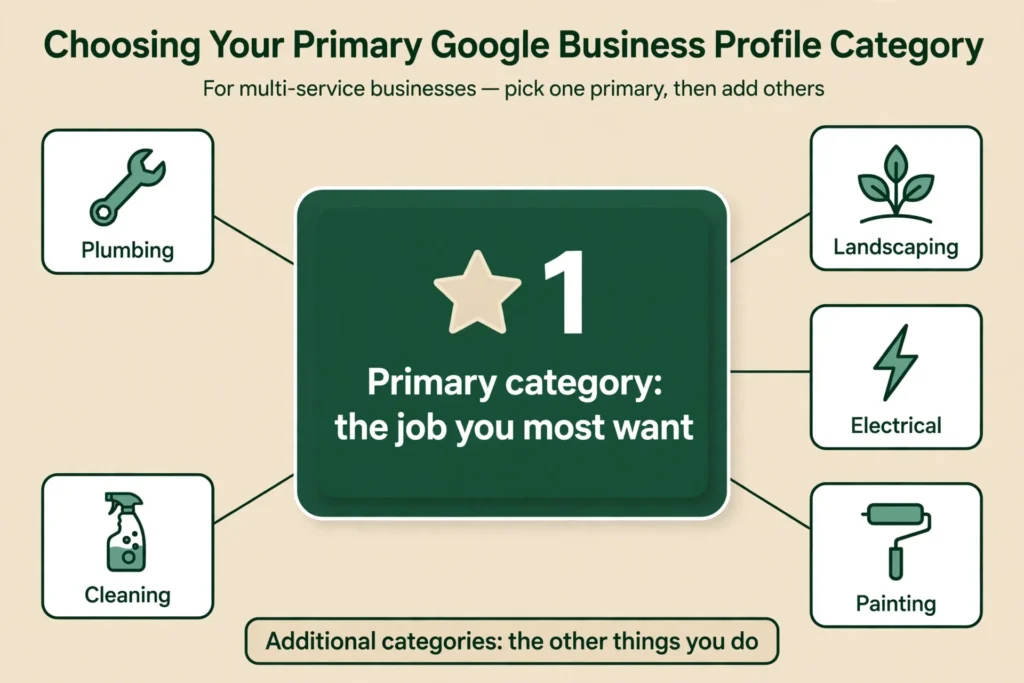
Do not pick a category for a service you do not offer. Do not use categories as keywords. And do not keep changing the primary category. Changing it can trigger re-verification, and changing categories too often can trigger a suspension or another round of verification, so make the change once and leave it.
What a Google Business Profile category actually does
Google uses your categories to decide which searches your profile shows up for. Google says the categories you select affect your local ranking on Google. In Whitespark’s 2026 survey of 47 local-search experts, the primary category was ranked the number one local-pack factor. Google itself does not publish a ranking weight for it, but the primary category is the one that tells Google what your business mainly is. The additional categories tell Google what else you do.
Think of it like this. The primary category is your job title. The additional categories are the other skills on your CV. A customer searching for “roofing services near me” will see businesses whose primary category is roofing. A business whose primary category is “General contractor” and whose additional category is roofing can still show up, but it will not be as strong a match.
That is why the choice matters. It is not a label. It is a ranking signal. Google’s ranking guidance frames it as relevance: how well your profile matches what someone is searching for. See Tips to improve your local ranking on Google.
The rules, in plain words
- One primary category. Exactly one. You cannot have two primary categories on a Google Business Profile. Google’s Edit your Business Profile page says that if you select several categories, the category in the first field will be your primary category.
- Up to nine additional categories. Ten categories in total. You do not have to use all ten. Google says you can select up to 9 more categories.
- Pick the most specific category available. Google offers around 4,000 categories. Third-party counts from Google’s own category data put the total at 4,051 in late October 2026, and the list changes regularly. You cannot type your own category. You have to pick from the list Google shows you. Google says it plainly: you can’t create your own category. If “HVAC contractor” is available, pick that instead of “Contractor.” If “Roofing contractor” is available, pick that instead of “Roofing services”, unless the more specific one does not fit what you do.
- The test is “This business IS a…” Google’s guideline is to complete the sentence “This business IS a…”, not “This business HAS a…”. If you are a roofing company that also does kitchens, your business IS a roofing company. It is not a kitchen company. That wording is verbatim from Google’s Guidelines for representing your business on Google.
- Do not use categories as keywords. Do not add categories for services you do not offer, just because people search for them. Google’s guidelines require you to reflect your business accurately and say not to use categories solely as keywords. Breaking the guidelines can lead to suspension, because Google reserves the right to suspend profiles that violate them. Suspension is a possible consequence of violating the guidelines, not a penalty Google states for this one act alone.
- Your categories should match what your business actually shows. Google says it also reads category information from your website and from mentions of your business across the web, and its ranking guidance rewards complete, detailed information. So back a category with a matching service page, a services list, photos, and reviews that mention that work. A category on its own is only a claim. That is best practice, not a Google rule, and the evidence that complete profiles rank better is correlational, not proof that one category causes a ranking.
How to pick the primary category when you do six things
Here is the decision in four steps. Use the owner from the post as the example. He does roofing, conservatory roof replacements, bathrooms, kitchens, landscaping, and loft conversions. His ideal job is conservatory roof replacements.
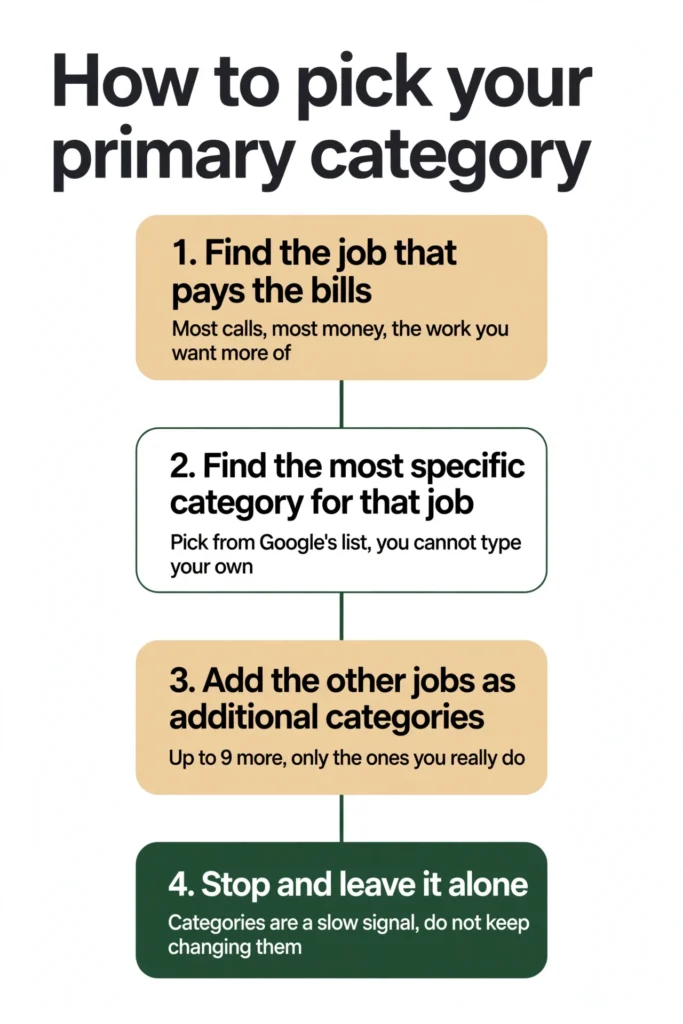
Step 1: find the job that pays the bills.
Look at the last six months. Which job brought the most calls? Which one brought the most money? Which one do you actually want more of? For the owner in the post, the answer is conservatory roof replacements. That is the job to build the primary category around.
Step 2: find the most specific category for that job.
Open Google’s category list and search for the closest match to that job. If there is a category for “Roofing contractor,” that is more specific than “Roofing services” and better than “General contractor.” If there is no category for the exact job, and there is no “Conservatory roof replacement” category, pick the closest real category that describes the work. In this case, that is a roofing category, because a conservatory roof is a roof.
Step 3: add the other jobs as additional categories.
Add up to nine additional categories for the other things you genuinely do: bathroom remodeler, kitchen remodeler, landscaper, and so on. Only add the ones you actually do, and only the ones you can back up with photos, reviews, or a services page on your website.
Step 4: stop and leave it alone.
Once you have picked it, leave it. Do not change it next week because a different job had a good week. Categories are a slow signal. Changing them often does more harm than good.
What about the jobs that are not in the primary category?
This is the worry every multi-trade owner has. “If my primary category is roofing, will I still show up when someone searches for a bathroom remodel?”
The answer is yes, but not as strongly. Your additional categories, your services list, your photos, your reviews, and your website all help Google understand that you do bathrooms too. A customer who searches for a bathroom remodeler in your area can still find you, especially if your reviews mention bathrooms, your photos show bathroom work, and your website has a bathroom page.
What the primary category decides is which searches you are strongest for. It does not decide which searches you can appear in at all. So pick the primary for the job you most want, and let the rest of the profile do the work for the other jobs.
One practical tip: your services list in the profile matters here. Add each service you offer, with a short description, under the right category. That gives Google more to work with than the categories alone.
How to change your primary category without causing trouble
Sometimes the primary category is genuinely wrong and needs to change. Maybe the business changed direction. Maybe the category was picked in a hurry when the profile was created. Here is the safe way to change it.
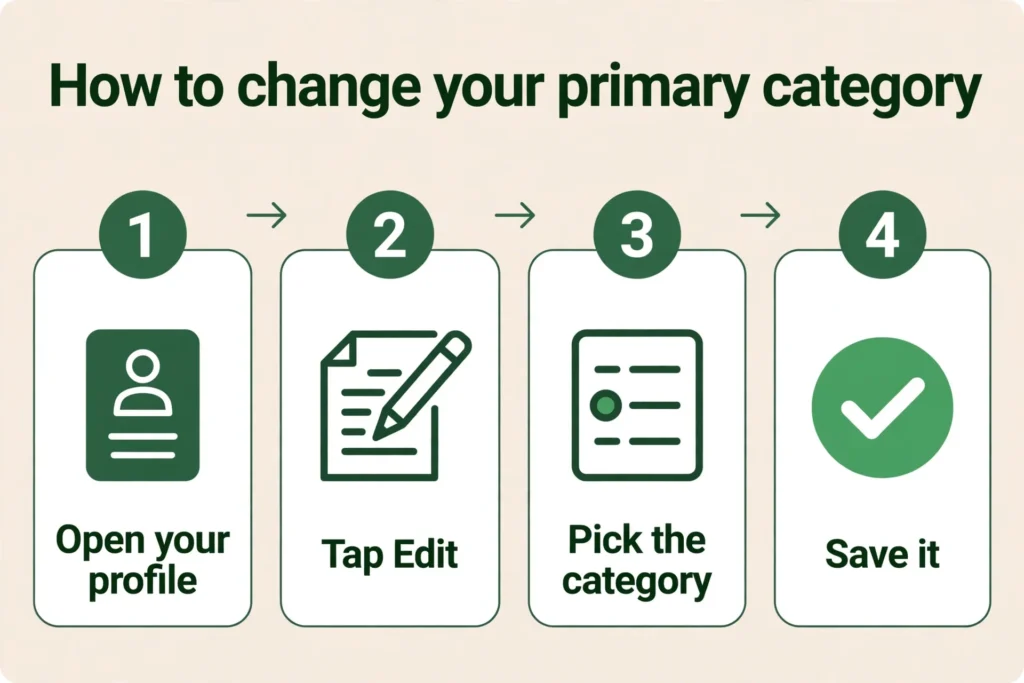
- Do not change it while verification is pending. If Google is still checking your profile, wait until that is finished. Editing a sensitive field during verification is one of the things that gets profiles suspended. If a profile does get suspended, the loop of suspension, reinstatement, and suspension again is covered in detail in Google Business Profile Suspended, Reinstated, Then Suspended Again? How to Break the Loop.
- Change one thing at a time. Change the category and save. Do not change the name, the address, the hours, and the photos in the same session. One change, then wait.
- Expect re-verification. Google says that adding or editing categories may cause the business to be asked to verify again. That is normal. Have your verification method ready, phone, video, or postcard, before you make the change. See also Google’s Verify your business on Google.
- Wait before judging it. Rankings can shift after a category change. Practitioners generally advise making one change at a time and waiting two to four weeks before judging the result, because local rankings also move with proximity and other factors. Google publishes no settling period for this. So give it a few weeks, and do not panic and change it back.
- Do not flip back and forth. Sherry Bonelli warns that changing categories too often can sometimes trigger a suspension or cause Google to re-verify your listing, and Joy Hawkins advises spreading edits out and doing only one or two at a time. Make the change once, for a real business reason, and leave it.
The owner who was denied video verification three times added a new service and removed it right after. That is the kind of rapid editing Bonelli and Hawkins warn about. Add a service when you start offering it. Remove it when you stop. Do not keep adding and removing things to test them.
What not to do
- Do not pick a category for a service you do not offer. It breaches Google’s guidelines, which require you to reflect your business accurately. Violating the guidelines can lead to suspension.
- Do not pick a broad category “just in case.” “General contractor” covers everything and ranks for nothing in particular. A specific category is stronger.
- Do not stuff keywords into your business name instead. Adding “Best Roofing and Kitchens and Bathrooms” to your business name is against Google’s rules. Google says including unnecessary information in your business name is not permitted, and could result in the suspension of your Business Profile. That applies to added words. If a service or place word is genuinely part of your real-world name, as it appears on your signage, it is not automatically a violation. Put the services in the categories and the services list, not in the name. Name and category mistakes are among the most common profile errors; see the common Google Business Profile mistakes to avoid.
- Do not change the primary category to chase rankings every week. Categories are a slow signal. Chasing them makes things worse.
- Do not add all ten categories just because you can. A category with nothing behind it, no service page, no photos, no reviews that mention it, is only a claim. Two or three tight, honest additional categories are better than nine vague ones.
A quick example: the multi-trade business from the post
The owner does roofing, conservatory roof replacements, bathrooms, kitchens, landscaping, and loft conversions. The ideal job is conservatory roof replacements.
- Primary category: the most specific roofing category available, for example “Roofing contractor.” That is the closest real category to the ideal job.
- Additional categories: the ones that match the other real jobs, for example a bathroom category, a kitchen category, and a landscaping category. Only the ones the business genuinely does.
- Services list: add conservatory roof replacement as a service, with a short description, so Google can see the exact job even though there is no category for it.
- Photos and reviews: make sure the profile has photos of conservatory roof work and reviews that mention it. That is what backs up the category.
That is the whole setup. One primary, a few honest additional categories, a services list that names the exact jobs, and photos and reviews that prove it.
What to do next
If your primary category is wrong, or you are not sure it is right, do not keep guessing. Work through the four steps above, pick once, and leave it alone. If you want a second pair of eyes on the profile and the categories together, Axiom’s free audit looks at the whole profile, categories included, and tells you what to fix first. If you would rather have the profile managed for you, see GBP management.
Frequently asked questions
One primary category and up to nine additional categories, ten in total. You do not have to use all ten. Google says you can select up to 9 more categories.
Yes. Google says the categories you select affect your local ranking on Google. In Whitespark’s 2026 survey of 47 local-search experts, the primary category was ranked the number one local-pack factor. Google itself does not publish a ranking weight for it.
Yes. You can edit it in your profile settings, under the category field. Changing it is allowed, but Google says adding or editing categories may cause the business to be asked to verify again, so have your verification method ready before you change it, and do not change it while verification is already pending.
Open your Business Profile, go to the category field, and replace the primary category with the new one, then save. Change only the category in that session, not the name, address, hours, or photos at the same time. Expect that Google may ask you to verify again. Then wait a few weeks before judging the result, and do not change it back in a hurry.
Pick the job that brings the most calls and the most money, the work you most want more of. Find the most specific category for that job. Add the other things you do as additional categories, up to nine.
Search Google’s category list for the closest match to what your business is, not what it has. The test is “This business IS a…” If there is no category for your exact job, pick the closest real category, then add the exact service to your services list in the profile so Google can see it.
Yes, but not as strongly as for the primary one. Your additional categories, your services list, your photos, your reviews, and your website all help Google understand the other things you do. The primary category decides where you are strongest, not where you can appear at all.
It can. Google says adding or editing categories may cause the business to be asked to verify again. That is normal. Have your verification method ready before you change it, and do not change it while verification is already pending.
You can, but do not rush. Rankings can shift after a category change, and practitioners generally advise waiting two to four weeks before judging the result. Only change it back if you have a real reason. Changing categories too often can trigger a suspension or another round of verification, so do not flip back and forth to test them.
No. Only add categories for things you genuinely do and can back up with photos, reviews, or a services page. Two or three tight, honest additional categories are better than nine vague ones.
Pick the closest real category. You cannot type your own category. You have to choose from the list Google shows you. Google offers around 4,000 categories, and third-party counts put the total at 4,051 in late October 2026, so the list changes regularly. Then add the exact service to your services list in the profile, with a short description, so Google can see it.
No. Your business name should be your real-world name, as it appears on your signage and your website. Adding service words or city names is against Google’s rules, and Google says it could result in suspension of your Business Profile. That is for added words. If a word is genuinely part of your real-world name, it is not automatically a violation. Put the services in the categories and the services list.
Rapid editing is part of the problem. Sherry Bonelli warns that changing categories too often can sometimes trigger a suspension or cause Google to re-verify a listing, and Joy Hawkins advises doing only one or two edits at a time. Adding a service and removing it right after is the kind of rapid change they warn about. Add a service when you start offering it and remove it when you stop. If your verification is now stuck, go through the verification steps Google offers and do not make more edits while it is pending. If the profile gets suspended, the suspension loop is covered in detail in Google Business Profile Suspended, Reinstated, Then Suspended Again? How to Break the Loop.
See What This Looks Like for Your Business
Free audit, real numbers, no obligation. We’ll show you exactly where you stand and what it would take to rank #1 in your market.
📋 Get My Free Audit →